How Speglo works
From frame photos to a try-on button on your product pages, without a developer.
Three steps to go live
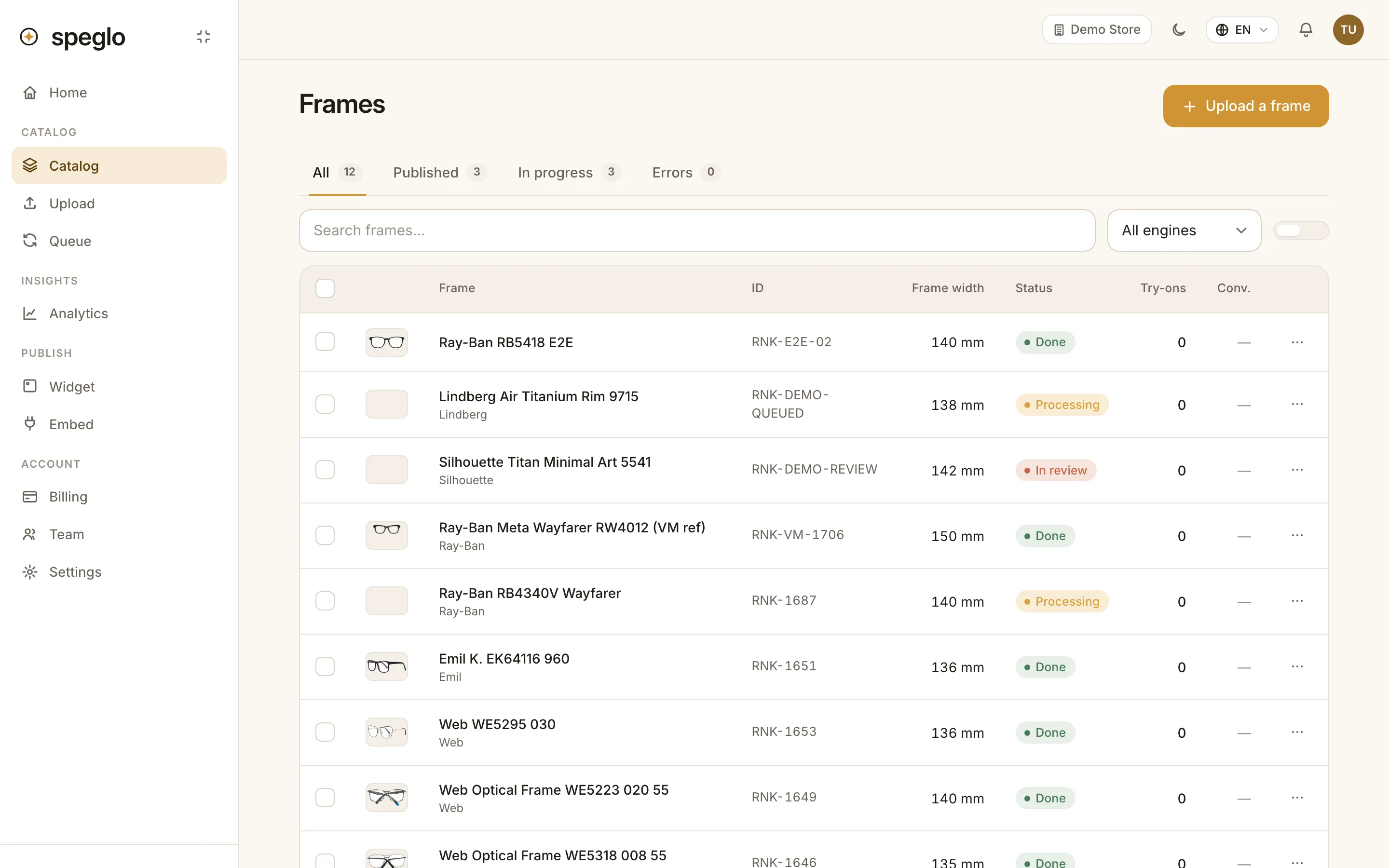
1
Upload your frames
Take a front and a side photo of each frame, or use the ones from your supplier. Speglo removes the background and prepares the frame for try-on. Every frame is checked before it goes live.
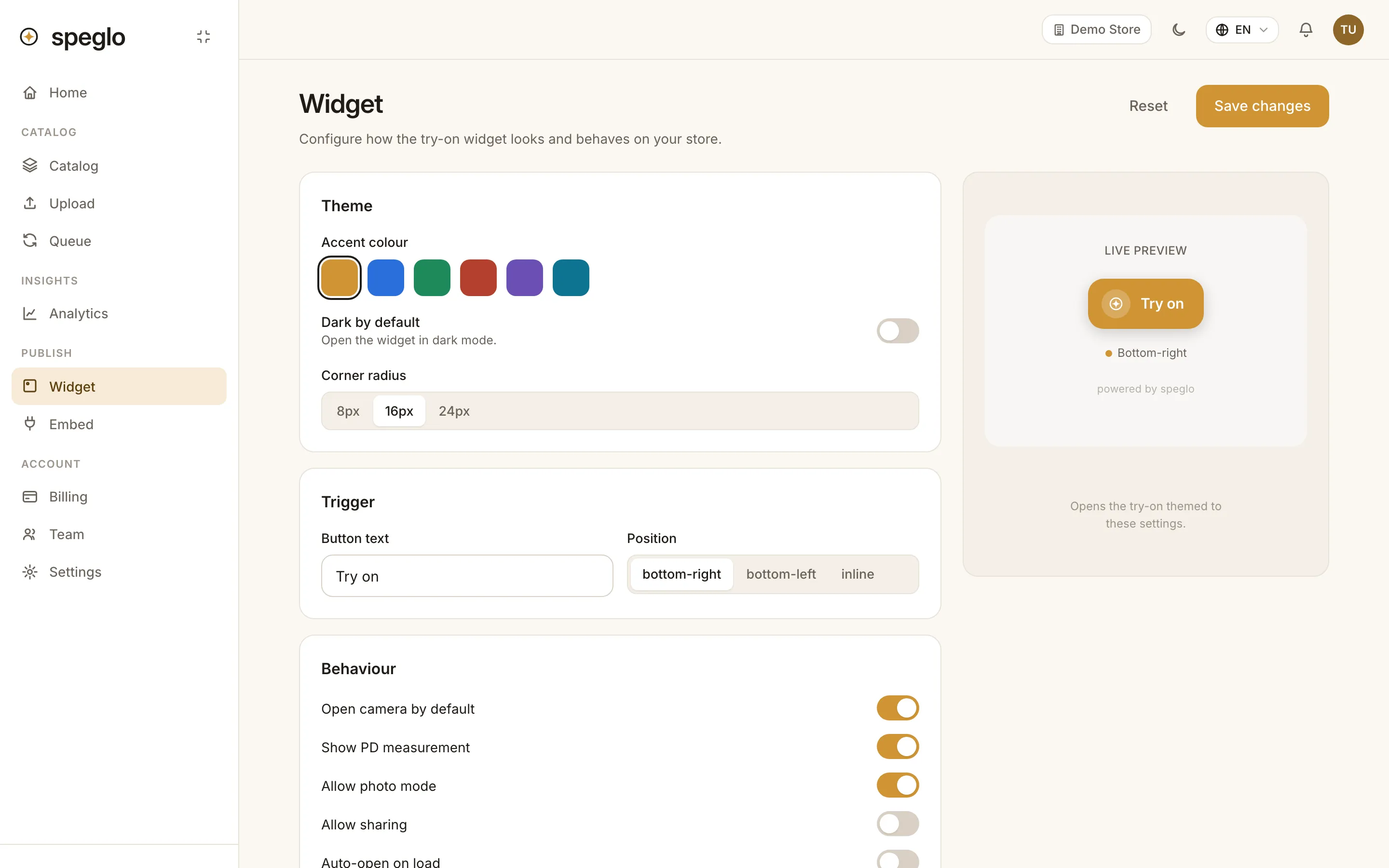
2
Set up the widget
Choose your brand colour, the button text, the languages and whether shoppers can measure PD. The preview shows exactly what they will see.
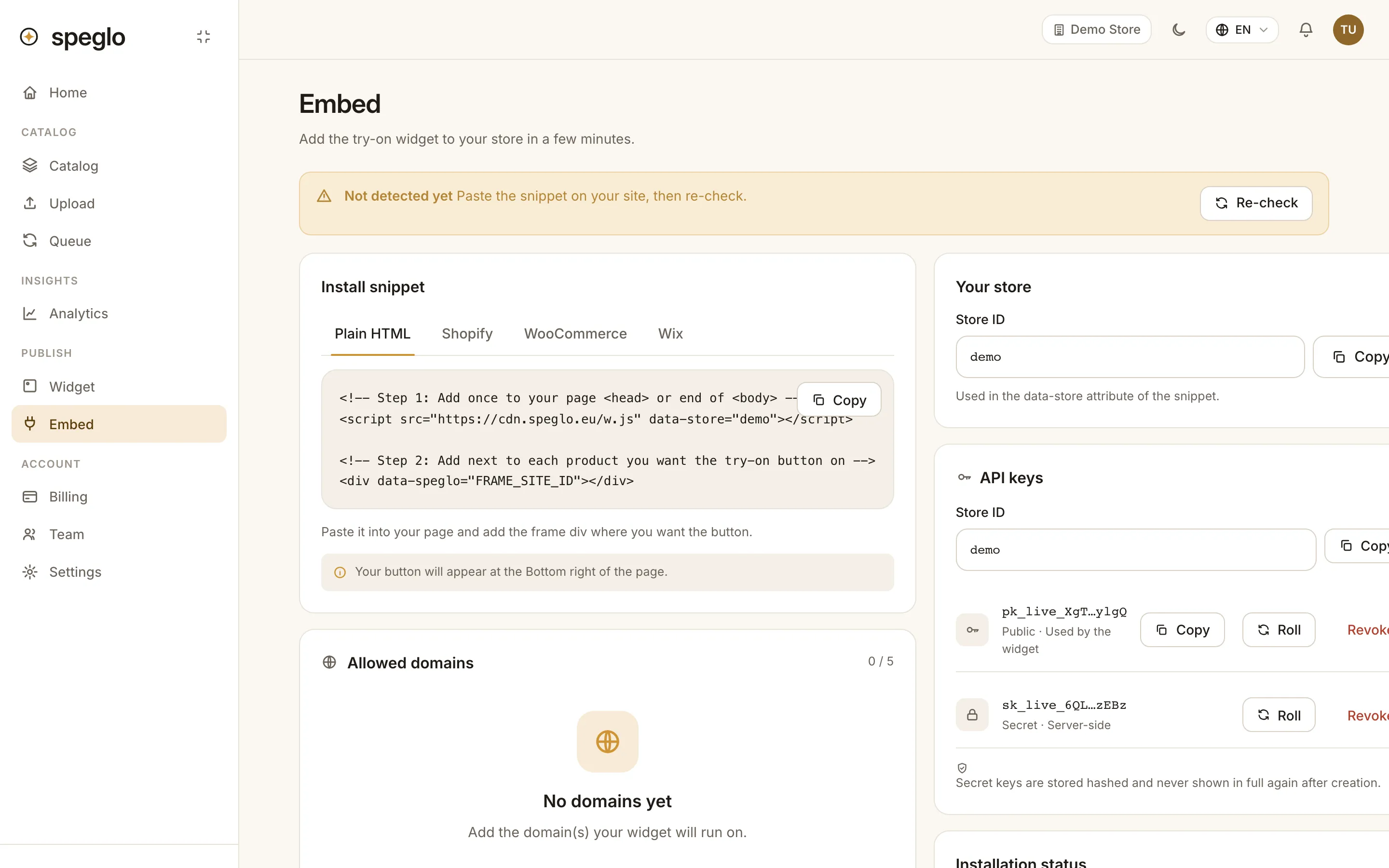
3
Paste the snippet
Add one script tag to your site template and the frame SKU to each product page. The portal checks that the snippet is installed correctly.
Three levels of realism
Start simple and upgrade the frames that matter most. You can mix levels in one catalogue.
Level 1
Flat 2D
Two photos, front and side
Level 2
360° spin
12 to 36 photos around the frame
Level 3
Full 3D
A 3D model for the most realistic fit
Try it with one of your own frames.
Free for up to 50 frames. No credit card needed.